Getting started with 3D printing can feel overwhelming, especially when choosing your first machine. The right beginner 3D printer should be easy to set up, include features like automatic bed leveling, and have a simple interface.
Popular budget options like the Creality Ender 3 V3 SE and Bambu Lab A1 Mini are known for their reliability and supportive communities.
Keep reading to learn how to pick the perfect starter printer for your projects.
What Makes a 3D Printer Easy for Beginners to Use?
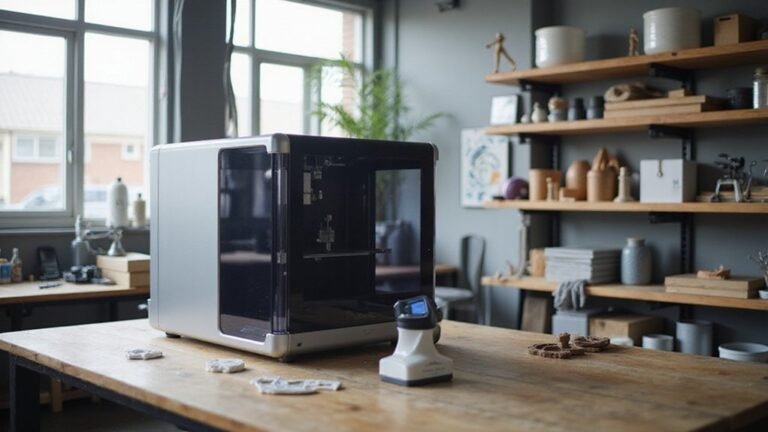
Easy-to-use 3D printers are designed to be quick to set up and simple to operate. Many come with pre-assembled or mostly assembled parts, which minimizes the time and effort needed to get started and reduces chances of mistakes. Setup wizards and guided prompts help you calibrate the printer without hassle, making the process less intimidating for beginners. Touchscreen interfaces with clear menus simplify tasks such as loading filament, starting prints, and monitoring progress. Automatic calibration features like auto bed leveling and nozzle-height guidance ensure the first layer sticks properly without manual adjustments, saving you frustration. Consistent first-layer adhesion depends on clean build plates and optimized printing speeds. Good beginner models also support various filament types, including PLA and other common materials. Adjustable print profiles let you customize settings for different projects, helping you achieve reliable results early on and making the learning process more enjoyable. A smooth setup process and easy-to-understand interfaces make 3D printing accessible to newcomers, encouraging experimentation and learning without overwhelming them. Additionally, features like automatic calibration further improve the user experience by reducing the need for manual adjustments and troubleshooting.
How to Choose the Right Build Volume for Your Projects
Choosing the right build volume for your 3D printer involves matching the maximum printable size to your typical project dimensions. A common starting point is around 220×220×220 millimeters, which suits most small to medium projects like figurines, household items, and tools. This size offers a balanced mix of affordability, manageability, and versatility for beginners and hobbyists. Smaller build volumes, such as 180×180×180 millimeters, are ideal if you primarily work on compact objects or want a budget-friendly, space-saving option. They are easier to manage, require less power, and cost less overall. Larger build volumes enable bigger prints and more complex designs but often come with higher costs, increased space requirements, and longer print times. When choosing, consider your current project sizes, potential future needs, your workspace capacity, and your budget to find the best fit. Additionally, understanding 3D printer costs can help you make smarter decisions based on your desired build volume and features, especially since different sizes often correlate with variations in initial investment and ongoing expenses. Being aware of material compatibility is also crucial, as larger build volumes may restrict the types of materials you can effectively use.
Why Auto-Leveling and Auto-Calibration Are Game Changers?
Auto-leveling and auto-calibration tools are game changers because they eliminate the lengthy, error-prone process of manual bed leveling and calibration. These features automatically adjust the print bed surface, ensuring it remains level throughout the entire print job. This consistency is especially important when dealing with varying materials or temperature shifts, which can cause beds to warp or shift. With topological mapping, the system measures multiple points across the bed, creating a detailed map that compensates for irregularities. This results in better bed adhesion, reducing failed prints and filament waste.
Sensor accuracy and system compatibility ensure reliable results regardless of filament type or resin used. You gain peace of mind knowing that your printer can adapt to different conditions without extensive user input. For beginners, this means less time troubleshooting and more time creating. These automation features make 3D printing more accessible, boosting confidence and reducing the learning curve. Overall, auto-leveling and auto-calibration improve print consistency, speed up setup, and help you achieve higher-quality results with less effort.
Which Materials Are Best for First-Time 3D Printing?
PLA is the best material for first-time 3D printing because it’s the easiest filament to print successfully. Its forgiving nature reduces the likelihood of failed prints during your early learning phase, which helps prevent frustration. Additionally, PLA simplifies filament maintenance and maintains consistent bed adhesion, both of which are crucial for achieving good first results. It’s also compatible with a wide range of printer settings and standardized profiles, making it straightforward for beginners to obtain reliable prints. Most default printer profiles are optimized for PLA, including manufacturer presets and starter templates, making it straightforward for beginners to obtain reliable prints. It’s ideal for test models like calibration pieces and sample objects, providing clear feedback on your printer setup. As you become more confident, you can explore more demanding materials, but PLA’s user-friendly characteristics make it the perfect starting point. Moreover, PLA Plus filament offers enhanced properties like increased toughness and better impact resistance, making it a popular upgrade for consistent performance. For those just starting out, choosing a correct filament type that suits your printer and project needs can make all the difference in building confidence and skills.
What Features Should Beginners Look for in a 3D Printer?
Beginners should prioritize features that simplify setup and operation to make learning smoother and more enjoyable. A pre-assembled or mostly assembled printer reduces the learning curve and allows for a quick start, ideally with minimal calibration. Automatic calibration features like auto-bed leveling and auto Z-offset improve first-layer adhesion and eliminate manual adjustments, saving time and frustration. A touchscreen interface provides intuitive navigation, making it easier to control settings and monitor progress, especially for those new to 3D printing. Compatibility with common slicing software and pre-loaded profiles can minimize trial-and-error, letting you produce quality prints sooner. Reliable, low-maintenance builds with easily accessible spare parts boost confidence and reduce downtime. Safety features such as heated beds and filament runout detection help prevent failed prints and keep your workspace safe. For those wanting to experiment with different materials, advanced filament compatibility and adjustable temperature settings are crucial. These allow you to explore creative possibilities safely and flexibly, without needing extensive technical knowledge. Additionally, choosing a user-friendly interface with helpful prompts and guidance can make troubleshooting and learning new techniques much easier for beginners. Ensuring user-friendly features like automatic bed leveling enhances ease of use, making it easier for beginners to achieve successful prints without frustration. Incorporating reliable components can further improve overall print quality and reduce the likelihood of errors during operation.
Top 2026 Beginner-Friendly 3D Printers Compared
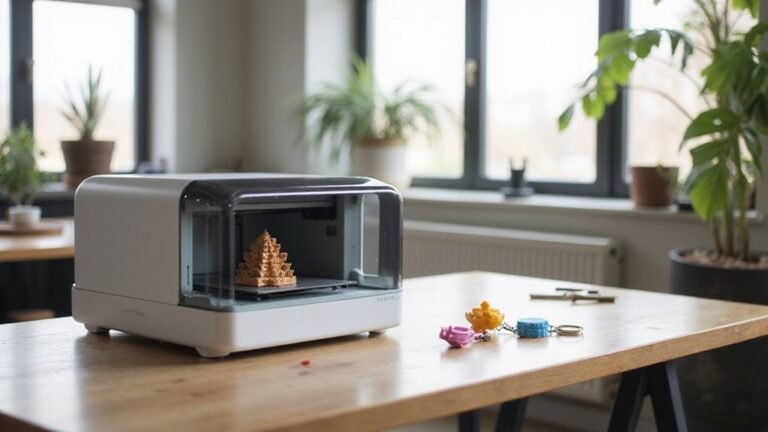
The top beginner-friendly 3D printers prioritize ease of use, affordability, and reliable performance right from unboxing. Many models, such as the Bambu Lab A1 and Mini, feature automatic calibration and broad filament compatibility, which simplifies setup and ensures good bed adhesion. The A1 offers a large build volume and fast printing speeds, making it suitable for a variety of projects. The Mini’s compact size makes it ideal for limited spaces without sacrificing core features. Budget-friendly options like the Elegoo Centauri Carbon and Creality Ender-3 V3 SE emphasize quick assembly, strong bed adhesion, and versatile filament compatibility, delivering consistent results for newcomers. Advanced models like the Anycubic Kobra 3 Combo and Snapmaker U1 offer multicolor printing and automation options, with friendly interfaces that ease the learning curve. Enclosed models such as the Flashforge Adventurer 5M provide a safer, enclosed environment that is perfect for classrooms or shared spaces, with straightforward bed adhesion and compatibility with a variety of filaments.
How Community Support Helps You Succeed With Your First Printer?
Community support can be a game-changer when you’re starting out with your first 3D printer. It accelerates troubleshooting by giving you access to peer support that goes beyond manufacturer manuals, allowing for quicker problem resolution. Online forums like Reddit’s r/3Dprinting and Discord groups provide practical advice on filament compatibility, calibration techniques, and common print failures. These resources save you time and reduce frustration by offering solutions from experienced users who have already faced similar issues.
Local makerspaces and user groups also play a vital role. They offer hands-on assistance from people who have real-world experience with your specific printer model. Sharing your setup experiences and print settings with community members helps you avoid common pitfalls and improve your results faster. Engaging with these groups builds your confidence, shortens your learning curve, and encourages continuous skill development. Overall, community troubleshooting and peer support create a supportive environment that helps you succeed with your first 3D printer.
Budget-Friendly 3D Printers That Still Offer Great Quality
Many budget-friendly 3D printers, like the Bambu Lab A1 Mini and Creality Ender 3 V3 SE, offer great quality without breaking the bank. The A1 Mini comes fully assembled and automatically calibrated, making setup straightforward even if you’re new to 3D printing. It supports a variety of filament types and switchable print beds, including removable and enclosed options, to suit different project needs. The Ender 3 V3 SE provides a larger build volume and is known for its durability and strong community support. Priced under €200, it still delivers impressive print quality for both beginners and hobbyists. Overall, these affordable options demonstrate that you don’t need to spend a fortune to produce high-quality 3D prints with ease and flexibility. Additionally, understanding 3D printer features can help enthusiasts make more informed choices to match their specific project requirements.
What Future Features Should You Consider for Your Growing Skills?
Future printers will likely introduce faster speeds, higher precision, and increased automation features like automated bed leveling. AI-driven customization tools, such as auto-calibration and real-time failure detection, will simplify setup, minimize errors, and boost print reliability. Parameter optimization will automate the tuning of settings for consistent results, while geometry generation tools will translate prompts into printable models, making complex designs more accessible. Material versatility will also expand, enabling multi-material and multi-color printing within a single object—allowing for intricate, functional parts with embedded electronics or diverse properties. These advancements will push your skills further, opening doors to innovative applications and enabling the creation of higher-quality, more complex projects. Additionally, the incorporation of multi-material printing capabilities will allow for the simultaneous creation of parts with diverse properties, such as soft and hard sections, expanding the range of functional and complex designs you can produce.
Final Tips for Choosing Your Perfect Beginner 3D Printer
Choosing the right beginner 3D printer starts with prioritizing ease of setup. Look for models that feature auto-leveling, which minimizes calibration errors and makes your first prints more successful. These systems can save you time and frustration, allowing you to focus on learning the basics rather than troubleshooting. Practical features like auto calibration can significantly improve your initial experience. Minimal assembly is another important factor. A printer that comes mostly assembled means you’ll be up and running faster, avoiding the hassle of intricate setup steps. Additionally, an intuitive touchscreen simplifies menu navigation, making it easier to adjust settings and monitor your prints without needing to dive into complex controls. Consider the color options if you’re interested in colorful projects. Check whether the printer supports multiple filament colors or if it’s compatible with multi-material setups to expand your creative possibilities. Filament compatibility is essential—starting with PLA or PLA+ is recommended because they are easier to print and have broad material support. Most beginner printers support these filaments, ensuring smoother first experiences. A build volume around 256 by 256 by 256 millimeters generally fits most entry-level projects and provides enough space to experiment without being overwhelming. Finally, choose a model that is supported by a strong community, offers plentiful resources, and emphasizes safety and user-friendliness. A well-supported printer reduces the learning curve and provides peace of mind as you explore 3D printing.