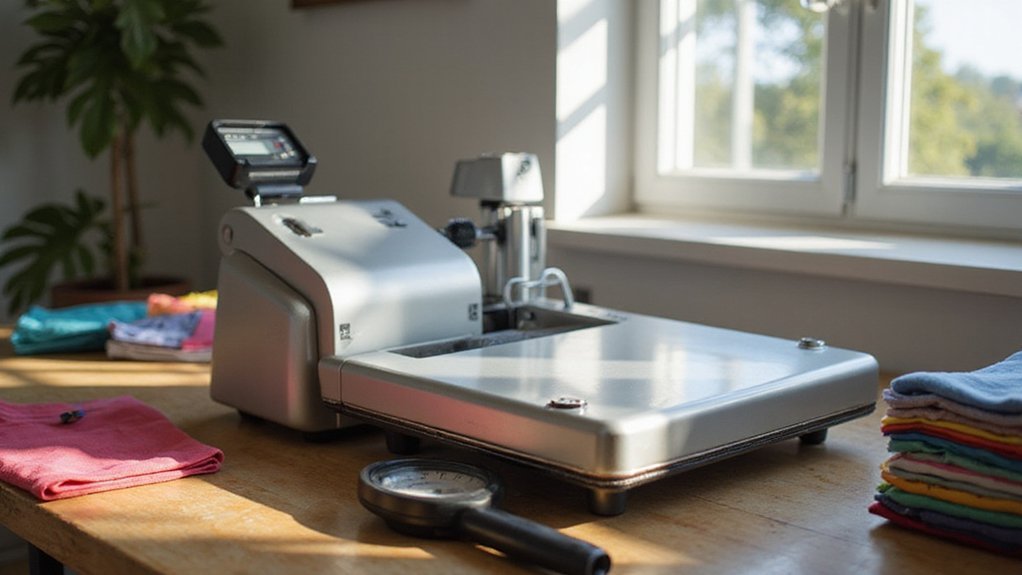
If you’re wondering how to get perfect results with a heat press machine, you’re in the right place. Knowing the right steps ensures your designs stick well and look professional every time.
From setting the right temperature to peeling at just the right moment, mastering the process makes all the difference. Keep reading to learn how to use a heat press effectively.
How to Prepare Your Heat Press for Perfect Transfers
To prepare your heat press for perfect transfers, start with proper calibration. Set the press to the temperature recommended by the substrate manufacturer, then verify the actual platen temperature using a separate thermometer or documented calibration checks. Always allow the heat press to fully preheat before starting your project, and recheck the temperature during longer runs to prevent temperature drift. Use substrate-specific starting temperatures, such as 180°C for cotton and 150°C for synthetics, and record the final working temperatures to ensure consistency across projects. Follow safety precautions by making sure the platen is flat and pressure is correctly adjusted based on test presses. Confirm that the pressure fully engages and remains steady throughout the transfer process. Proper calibration and safety checks establish a reliable foundation for achieving flawless transfer results, just as ensuring proper temperature settings is essential for drying filament effectively. Additionally, regularly inspecting the heat transfer process for any irregularities can help identify issues early and maintain consistent quality. Monitoring timing and pressure during the transfer can further optimize your results, ensuring each project meets professional standards.
Prepping and Positioning Your Garment or Substrate
To prep and position your garment correctly, start by laying it flat on the lower platen and smoothing out wrinkles or folds to ensure even contact. Center the garment so your design will land within the desired print area, and fold it vertically in half to create a light centerline for precise alignment. Check for seams, collars, zippers, or raised areas that could interfere with even pressure; avoiding seams helps prevent transfer defects. Before applying the transfer, pre-press the garment for 3 to 5 seconds to remove moisture and residual wrinkles, making sure the fabric feels dry. Use a flat, even platen and secure the transfer with heat-resistant tape if necessary. Finally, place a Teflon sheet over everything to protect both the fabric and your press machine during the transfer process. To ensure proper results, also verify that the fabric is free of any residual finishes or coatings that could impact adhesion, as fabric preparation plays a crucial role in the success of heat transfers. Additionally, understanding heat press machine settings such as temperature, pressure, and time can significantly influence the overall quality of the transfer. Proper pressing technique is essential to achieving consistent, high-quality results in heat transfer projects.
Choosing the Right Temperature, Time, and Pressure
The correct temperature depends on the material you’re transferring onto. For cotton, around 350°F for 15 seconds is typical, while polyester typically requires about 305°F for 10 to 12 seconds. Always follow manufacturer recommendations and conduct test pressings to dial in the optimal settings. Checking the temperature with a thermometer enhances accuracy, and recording successful settings helps streamline future projects. Different brands may require varied settings; experiment accordingly. Adjustments in small increments based on the results will ensure consistent, high-quality transfers without damaging your materials.
Operating the Heat Press and Managing the Cycle
Once the heat press reaches your chosen temperature, managing the cycle precisely is key to a successful transfer. Set the timer using the control panel or buttons—avoid guessing. Applying steady pressure throughout the cycle is essential, and you can adjust the pressure knob as needed to maintain consistent pressure. To troubleshoot uneven transfers, perform a paper resistance test and verify that the pressure is evenly distributed. Keep safety in mind: keep the press open while heating and ensure it is fully heated before beginning the transfer. After the timer ends, carefully open the press, remove the transfer following peel instructions, and then turn off the machine. Allow it to cool before handling your finished project to prevent smudges or warping. It is also important to check that the current pressure setting is between 4 and 7, adjusting if necessary to achieve optimal pressure for best results.
Positioning Your Transfer Accurately for the Best Results
Positioning your transfer accurately is key to achieving a professional-looking finish. Take your time to measure and align precisely before pressing. Use the garment’s center point—either fold the shirt to find the midpoint or use the collar or tag as a guide for vertical and horizontal centerlines. For full-front designs, position the transfer at the intersection of these lines, ensuring it’s centered over the fabric’s midpoint. Proper placement can help prevent the need for FEP film replacement by reducing errors during the process. Placement varies depending on fabric type and transfer size. A common rule is to position designs about three fingers below the collar, roughly 1.5 to 3 inches down, depending on shirt size. Smaller logos or designs often look better placed higher on the chest to provide balance. Before pressing, secure the transfer with tape and align it using grid lines or measurement marks to ensure accuracy. Flat, centered placement prevents skewing and helps keep the graphic balanced, resulting in a clean, professional appearance. Additionally, understanding heat transfer vinyl applications can help you choose the correct placement based on the transfer’s durability and design type. Paying attention to heat transfer process details can also improve the overall quality of your finished product.
Peeling Transfers Correctly and Troubleshooting Common Issues
Peeling your transfer at the correct time is essential to achieve a durable, professional finish. The key is to match the peel timing—hot, cold, or warm—to your specific transfer type. For hot peel transfers, remove the carrier immediately after pressing while the transfer is still hot. For cold peel transfers, wait until the transfer and garment are completely cooled, sometimes laying the item flat to help. Warm peel transfers require handling at a temperature in between, typically once the transfer has cooled slightly but is not fully cold. Proper peel timing is crucial for ensuring a seamless and long-lasting application. Ensuring proper peel timing helps prevent issues such as peeling edges or incomplete transfer adhesion. Peeling slowly and evenly, keeping the carrier flat and low against the fabric. Start peeling from one corner and gently work across the design to prevent lifting or distortion. If part of your design lifts during peeling, repress that area with firm pressure for 3 to 10 seconds, then continue peeling. Additionally, checking your transfer and material compatibility can influence how you perform the peel to achieve optimal results. Temperature control during the transfer process is also vital, as improper heat can lead to poor adhesion or transfer failure. Troubleshooting common issues often involves verifying the correct temperature, pressure, and time for your heat press. Confirm that you are following the recommended peel timing for your transfer type. Proper peeling minimizes problems such as incomplete release, edge lift, or design distortion, ensuring a lasting and professional result.
Finishing Tips for Durable, Professional Results
To achieve durable, professional results, proper surface preparation and control of temperature, time, and pressure are essential. Begin by thoroughly cleaning the substrate to eliminate lint, dust, and debris, which can compromise transfer adhesion. Pre-press garments briefly to remove moisture and wrinkles, ensuring a smooth surface for optimal bonding. Use a lint roller to clear fibers from the apparel’s surface for a cleaner finish. When applying the transfer, mirror your design beforehand so it reads correctly after transfer. Maintain the recommended temperature, typically around 160°C to 180°C, for 10 to 15 seconds, applying medium to firm pressure. Accurate placement and alignment are crucial, and protective layers like parchment paper or Teflon sheets help prevent sticking and ensure a clean, professional appearance. Always check the sublimation paper compatibility with your printer to achieve the best results. Proper temperature control also helps prevent damage to sensitive materials, similar to how filament durability influences print quality and longevity. Monitoring laser cutter costs and understanding what drives the price can also be useful for sourcing equipment that fits your budget.
Maintaining Your Heat Press for Long-Term Use
To ensure long-term performance, you should implement routine maintenance for your heat press. This involves cleaning the upper and lower platens daily with a soft, lint-free cloth and gentle solutions like mild soap or isopropyl alcohol. Avoid harsh chemicals or abrasive tools that could damage the non-stick coating. Protect the lower platen with covers or Teflon sheets to minimize contamination.
Regularly inspect cords, plugs, and hardware for signs of wear or looseness. Tighten or replace components as needed to prevent operational issues. Apply high-temperature grease sparingly to pivot points and moving joints according to the manufacturer’s recommended schedule to maintain smooth movement. Monthly calibration of the machine’s temperature and pressure settings is also essential to ensure even heat distribution and consistent transfers, which ultimately prolongs the lifespan of your heat press.