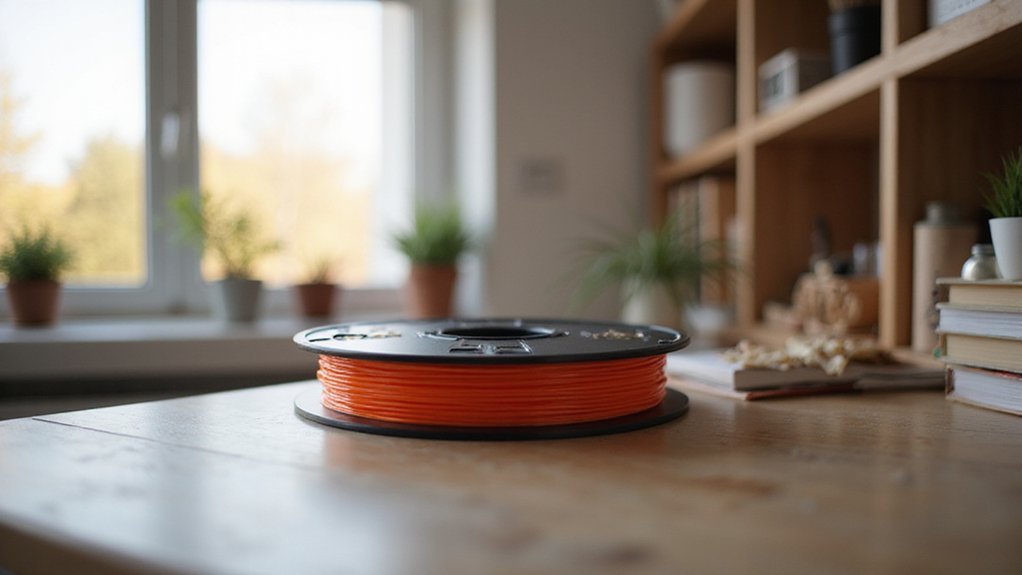
Struggling to keep your PLA filament from moisture damage? Proper storage is key to maintaining quality and ensuring your prints turn out flawless.
When stored correctly, your filament stays dry, reduces printing issues, and lasts longer. Keep reading to learn simple, effective ways to protect your filament and get the best results every time.
Why Moisture Control Is Critical for Long-Term PLA Storage
Moisture control is essential for long-term PLA storage because this filament is hygroscopic and absorbs water from the air over time. When moisture is not managed, the filament becomes damp, leading to print defects such as stringiness, rough surface finishes, weaker layer adhesion, and increased jams during extrusion. Keeping storage humidity below 20–40% relative humidity (RH) is effective in preventing these issues. Using airtight containers, vacuum-sealed bags, and desiccant packs creates strong moisture barriers that minimize exposure to ambient humidity. Even if you are not actively printing, stored PLA can still absorb moisture if left in humid conditions, which can cause filament degradation and dimensional inaccuracies. Proper moisture control helps maintain filament quality, ensures smooth extrusion, and preserves the surface finish of your prints over time. Understanding the different types of 3D printer can also help you select the best storage methods tailored to your printing needs. Additionally, regularly checking storage conditions is important to ensure that the filament remains in optimal shape for printing. Implementing moisture monitoring techniques ensures consistent filament performance during extended storage periods.
How to Properly Dry Your PLA Filament Before Storage
To ensure your PLA filament stays in optimal condition when not in use, you need to dry it thoroughly before storage. Set your oven or dehydrator to a temperature between 40 and 50°C (104–122°F). Temperatures above 60°C can cause the filament to soften or deform, so always verify the temperature with an oven thermometer. Typically, drying takes 4 to 6 hours, but heavily moisture-laden spools may require up to 8 hours. Whether you use a food dehydrator or a dedicated filament dryer, make sure the spool is placed properly and monitored periodically during the process. Once drying is complete, immediately store the filament in an airtight container with desiccant to prevent reabsorption of moisture. Proper drying helps maintain filament quality and results in more reliable 3D printing. It’s also beneficial to consider proper storage methods to preserve filament quality over time.
Choosing the Best Sealed Containers for PLA
A quality sealed container is essential for maintaining your PLA filament’s dryness. Look for airtight options like vacuum-sealed bags with valve seals or reusable vacuum storage bags. These provide strong moisture protection, especially useful for spools used infrequently. Plastic storage boxes with gaskets are affordable and effective; adding desiccants and humidity monitors enhances protection further. Clear containers are advantageous because they allow you to see filament colors and types at a glance, making organization easier without opening the container. Ensure the container size matches your spool dimensions to prevent deformation or compression. Label each container with material, color, and seal date to keep your inventory organized. Regularly check seal integrity to confirm continued protection against moisture, keeping your filament dry and ready for high-quality 3D prints.
Keeping Your Storage Environment Cool and Humid-Free
Maintaining a cool, stable environment is essential for preserving your PLA filament’s quality over time. Aim for a consistent temperature between 20 and 25°C (68–77°F). Fluctuations outside this range can cause condensation and moisture buildup, leading to print defects and filament degradation. Keep your storage area away from heat sources such as heaters, vents, or direct sunlight, which can cause heat stress. Conversely, avoid rooms that are too cold, as low temperatures can weaken filament integrity and promote condensation formation when moved indoors. To further protect your filament, consider the uses and importance of vinyl sheets in related storage solutions, as they help prevent moisture infiltration. Monitoring humidity levels is equally critical. Keep humidity below 50%, with some experts recommending under 20%. Use devices like hygrometers or humidity indicator cards to track these levels constantly. Incorporating desiccant packs or room dehumidifiers into your storage setup can effectively keep conditions dry and prevent moisture absorption over time. Regularly check your environment to catch and address any humidity fluctuations, as rising moisture levels can lead to print imperfections and shorten filament lifespan.
Protect Your PLA From Light, Dust, and Mechanical Damage
To protect your PLA filament from light, dust, and mechanical damage, proper storage is essential. Keep spools in opaque containers or dark storage boxes to shield them from UV light, which causes color fading and accelerates degradation. This helps extend the filament’s shelf life and maintains print quality. Use sealed containers, vacuum bags, or the original packaging to limit dust entry and prevent contamination that can clog your nozzle or affect print consistency.
Mechanical damage can make filament brittle or develop cracks, leading to failed prints. Store your spools in impact-resistant, rigid containers and handle them gently to avoid rough treatment. Place spools on stable surfaces, away from stacked items, sharp tools, or heavy objects that could cause deformation or breakage. By storing your PLA in a protected environment, you reduce the risk of damage and preserve its optimal printing properties over time.
How to Use Desiccants to Keep Your Filament Dry
Using desiccants effectively is key to keeping your PLA filament dry and maintaining high print quality. Start by choosing silica gel, the most common desiccant, which is affordable and widely available. For long-term storage, consider rechargeable desiccants like clay or molecular sieve beads, as they reduce waste and save money over time. Proper desiccant maintenance is essential to ensure consistent moisture absorption, preventing filament degradation. Including humidity indicator cards in your storage containers helps you monitor the desiccant’s effectiveness. When the indicator shows saturation—typically changing color—you should recharge or replace the desiccant. Establishing a standardized storage routine can further help maintain filament quality over extended periods. Store your filament in airtight containers such as vacuum-sealed bags or dry boxes, with a generous amount of desiccant to ensure optimal moisture control. Keep the storage environment cool and dry, preferably below 20 percent humidity. Regularly check the humidity indicator to determine when the desiccant needs recharging or replacing. Once dried, transfer your filament into sealed containers immediately to prevent moisture absorption. Proper desiccant use helps ensure your filament remains dry, preventing common issues like filament bubbling, oozing, or poor layer adhesion during printing. Additionally, understanding how different desiccants work can improve your moisture control techniques for better 3D printing results.
Organize and Rotate Your Filament Spools for Easy Access
Organizing and rotating your filament spools ensures you can quickly find what you need, reducing downtime and errors during printing. Start by grouping spools based on material type—such as PLA, PETG, ABS—and use a consistent classification system across all storage areas. Implement color coding with labels or tags to make material identification faster, saving you time when searching. Label each spool with critical details like material, brand, color, and purchase or open dates using durable labeling tools. Position older spools at the front and newer ones behind to adopt a first-in, first-out rotation, especially for open stock. Clear labeling of storage locations, dedicated spots, and even digital inventory tracking can further simplify retrieval and ensure your filament inventory remains accurate. Additionally, since proper storage conditions significantly impact filament quality, consider storing spools in a cool, dry place to prevent moisture absorption. Using humidity-controlled storage can help maintain optimal filament condition and prevent print failures caused by moisture buildup. Moreover, implementing airtight containers can further protect your filament from environmental factors like humidity and dust.
How to Monitor and Reassess Your Storage Conditions Regularly
To effectively monitor and reassess your storage conditions, follow a consistent routine. Use digital hygrometers inside each airtight container to track humidity levels continuously. Aim to keep humidity below 20% relative humidity (RH), ideally between 10 and 15%. If readings become inaccurate, replace the hygrometer’s sensors or batteries immediately to maintain measurement integrity. Performing monthly calibration ensures your readings stay within a ±2% RH margin. Regularly checking for sensor accuracy helps ensure your data remains reliable. Log daily humidity data in a dedicated record to identify trends early and catch potential issues before they impact filament quality. Set up alerts or reminders for when humidity rises above 25% RH, indicating that intervention is necessary. Inspect desiccant packs every three months; replace those that are saturated to keep moisture levels low. Refill or recharge silica gel or molecular sieve packs as needed to maintain optimal conditions. Maintaining consistent storage conditions can help prevent moisture-related printing problems and preserve your filament’s quality over time. Additionally, understanding the importance of PLA filament properties can guide you in selecting and maintaining the best storage environment for your filament.
Troubleshooting Moisture Problems and Fixes for PLA Storage
Moisture issues in your PLA filament can be diagnosed and resolved efficiently to prevent print defects and material waste. Signs like popping or sizzling sounds during extrusion, along with rough surface textures, indicate trapped moisture. You might also see color fading, inconsistent extrusion, or tiny bubbles, all of which suggest the filament has absorbed moisture. Check the spool tension because it can become affected if the filament becomes brittle or oozes unexpectedly. To dry the filament effectively, use a filament dryer, dehydrator, or a low-temperature oven set between 45 and 55°C for 4 to 6 hours. Proper dehydration restores the filament’s moisture content, which leads to improved print quality. After drying, store the filament spool in an airtight container with fresh desiccant packs to keep moisture out. Implementing proper storage techniques can significantly reduce the risk of moisture reabsorption. Additionally, utilizing desiccants and airtight containers can further help maintain a dry environment for your filament. If problems continue, the storage environment could still be too humid. Improving sealing methods or adding environmental controls can help prevent moisture from reabsorbing into the filament.