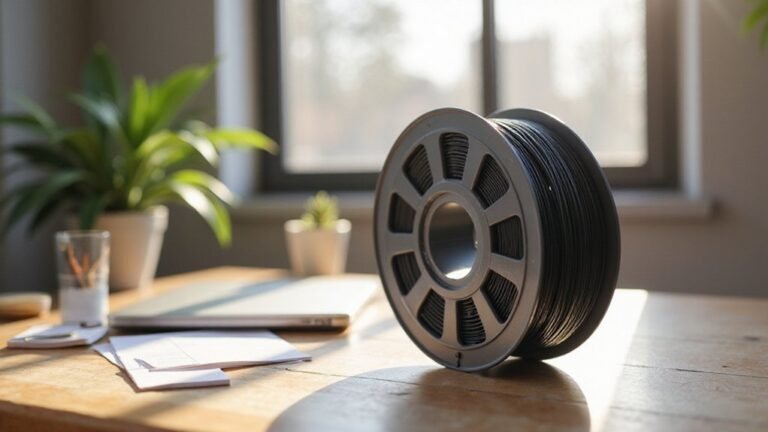
Having trouble printing with PETG because of moisture? Drying it properly can make a big difference, and the process is simpler than you might think.
By gently heating the filament and ensuring good airflow, you can restore its printability and prevent issues like popping or inconsistent extrusion.
Keep reading to find out the best way to dry PETG filament effectively.
Why You Need to Dry PETG Filament
Drying PETG filament is essential because moisture absorbed during storage can lead to various print issues. When filament contains even small amounts of water, it causes inconsistent extrusion, resulting in stringing, blobbing, bubbling, and popping sounds during printing. These defects can ruin the surface finish, especially on transparent or decorative parts, leaving a hazy or uneven appearance. Moisture also weakens the filament’s tensile strength, making your final print more fragile and prone to breaking. Additionally, damp filament can appear dull or less vibrant, dulling the overall color and reducing aesthetic quality. Using proper drying techniques is particularly important if your filament has been stored in non-airtight containers or in environments with humidity levels above 50%. Proper storage methods can help prevent moisture absorption and extend the filament’s useful life. By thoroughly drying your PETG filament, you ensure high print quality, vibrant colors, and strong mechanical properties, preventing common moisture-related print failures. Proper drying not only improves print quality but also extends the lifespan of your filament by preventing moisture absorption that can degrade its properties over time. Ensuring you understand the properties of filament materials can further aid in selecting the appropriate drying method and conditions.
How to Properly Dry PETG Filament
To properly dry PETG filament, create a controlled thermal environment that removes moisture without damaging the material. Use a purpose-built filament dryer or a food dehydrator set to 60–65°C for consistent heating, ensuring the filament is heated evenly to prevent softening or deformation. If using an oven, verify the temperature with an accurate thermometer rather than relying only on the built-in thermostat, as oven thermostats can be inaccurate and risk damaging the filament. Keep the spool off direct heat sources and ensure good airflow around it to facilitate moisture escape. Before drying, unwrap and clean the filament to remove any debris that could interfere with the process. Maintaining a proper drying temperature helps prevent issues like bubbling or inconsistent extrusion during printing. Maintaining a stable temperature throughout the drying cycle and avoid rapid temperature shifts to prevent warping or other issues. Proper drying techniques can further optimize the process by ensuring even moisture removal and protecting the filament’s quality. After drying, allow the filament to cool completely before storage, and seal it in airtight containers with silica gel packs to keep it dry. Additionally, understanding the correct storage methods can help prolong the dryness and quality of your filament.
What Temperature Should PETG Be Dried At?
PETG should be dried at a temperature range of 55°C to 65°C. Staying within this window helps remove moisture effectively without risking filament deformation. The most common target temperature is between 60°C and 65°C, which minimizes the chance of softening the filament or damaging the spool. Temperatures above 70°C are generally not recommended, as they approach PETG’s glass transition point of around 80°C and can cause warp-sticking or deformation. Using an oven thermometer or a dedicated filament dryer ensures that the temperature remains stable and consistent during the drying process, helping you achieve thoroughly dried PETG without compromising its integrity. Understanding filament composition can also help in selecting the optimal drying parameters for better print quality, especially since heat transfer vinyl on acrylic requires careful temperature control to avoid damage. Being aware of the moisture absorption rate of PETG can further improve drying efficiency and print results.
How Long Should You Dry PETG for Different Moisture Levels?
The drying time for PETG depends on its moisture level, with most cases falling into specific time ranges. For new or factory-sealed spools with low moisture, drying for 3 to 6 hours is enough to prevent filament rigidity caused by residual packaging moisture and to reduce moisture absorption that can lead to stringing or bubbles during printing. If your PETG has been exposed to humidity, drying closer to 8 to 10 hours ensures thorough removal of moisture and helps restore optimal flexibility. Moderate moisture exposure typically requires 4 to 6 hours of drying, while higher levels may need even longer durations. Adjusting the drying time based on the filament’s moisture content ensures it remains pliable and retains its quality, resulting in smooth, reliable 3D prints. Proper storage techniques and awareness of moisture content are essential in maintaining filament quality over time. Additionally, understanding the difference between heat transfer vinyl and iron-on can help you choose the best materials for your other crafting projects. Knowing correct drying techniques for PETG can also enhance your filament storage habits and prevent issues caused by improper moisture control.
Best Ways to Store Dried PETG and Prevent Reabsorption
To prevent reabsorption of moisture into dried PETG filament, storing it in airtight containers is essential. Use sealed containers such as vacuum-sealed bags or containers equipped with desiccant packs or silica gel to absorb residual humidity. Maintaining storage humidity levels below 15–20% relative humidity (RH) is crucial, so a digital hygrometer can help you monitor this effectively. Keep your storage environment cool and stable, ideally between 15 and 25°C, and avoid direct sunlight or moisture-prone areas like kitchens or bathrooms. For long-term storage, combining vacuum sealing with desiccants offers the best protection, especially if you plan to store the filament for several months. Always minimize open exposure—only open the container when necessary and reseal immediately afterward—to maintain a low-humidity environment and prevent filament degradation.
How to Tell When PETG Is Fully Dried?
You can tell when PETG is fully dried by examining its visual, tactile, and extrusion qualities. Visually, it should appear clear and uniform, with no cloudiness, tiny bubbles, or foggy spots—that indicates residual moisture. The filament should have a consistent color and a smooth, glossy surface rather than a dull or irregular finish. When performing a test extrusion, the filament should flow smoothly and consistently without popping, sizzling, or hissing sounds. No bubbles or foam should form during this process. Tactilely, dry PETG flexes slightly when you bend it, whereas sections retaining moisture tend to feel stiff or brittle. Additionally, properly dried PETG resists warping during printing, resulting in better adhesion and fewer print failures. Using a proper drying method can help ensure your filament reaches the optimal dryness level before printing. Finally, a small test print can confirm dryness: if the filament extrudes cleanly, without any popping or bubbling, and results in a smooth, even surface, it is fully dried and ready for printing. Ensuring your filament is properly dried can improve print quality and reduce potential printing issues.
Troubleshooting Common PETG Drying and Printing Problems
If PETG filament isn’t drying properly or your prints show common defects, troubleshooting can help identify the root of the problem. Color fading indicates moisture still affects the filament, while blemish formation suggests inconsistent extrusion caused by trapped water vapor. Stringing increases with absorbed moisture, and popping sounds from the hotend confirm vaporization inside the nozzle. Overheating during drying or uneven heating can leave moisture behind, worsening these issues. Check retraction settings and reduce print temperature by 5–10°C to minimize oozing. Ensure your build plate is clean and well heated, with proper adhesives for better first-layer adhesion. Always store filament in airtight containers with desiccants after drying to prevent rapid moisture reabsorption, helping you avoid these print defects. Understanding the different types of 3D printers can help you choose the right setup to minimize such issues from the start. Additionally, selecting a top enclosed 3D printer designed for high-quality prints can significantly reduce humidity-related problems by maintaining a controlled environment. Recognizing filament moisture levels and how they impact print quality is essential for consistent results.